Who This Is For
If you write JavaScript that measures text — to build a text editor, a chart library, a canvas-based UI, a word-wrap algorithm, a PDF generator, or any animation where you need to know exactly how wide a string is — this post is for you.
You don't need to care about typography theory or font engineering. You just need to stop paying the DOM tax every time you ask a simple question: how wide is this string?
What This Is
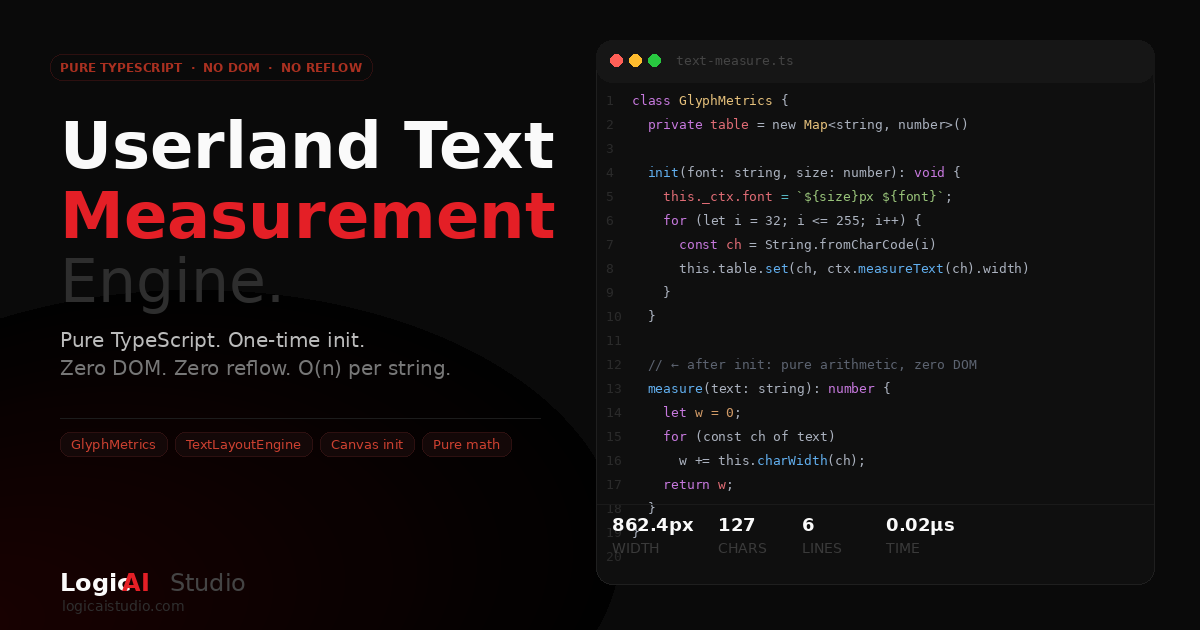
A pure TypeScript text measurement engine. Two classes:
- GlyphMetrics — measures every character in a font once (using Canvas), then caches it. After initialization, every string measurement is a table lookup and a loop. No DOM. No rendering pipeline. Pure arithmetic.
- TextLayoutEngine — takes blocks of text and a container width, returns exact x/y coordinates for every line. Word-wrapping, alignment, padding, line-height — all computed in JavaScript. The output works with Canvas 2D, WebGL, SVG, or server-side PDF generation.
There's also a live demo at /ts-demo/ — including a "bouncing ball" animation that travels character-by-character across a block of text. The ball knows exactly where each character sits because the metrics table was built at init time. The animation loop queries nothing.
Why It Matters
Three ways to measure text in the browser. Three very different performance profiles:
- DOM getBoundingClientRect() — forces a full layout reflow. The browser recalculates the entire layout tree synchronously before returning the measurement. On modern hardware with a simple page: ~10,000 measurements per second. In a loop, this is a performance disaster.
- Canvas measureText() — doesn't touch page layout, but still hits the rendering pipeline on every call. Faster: ~200,000–400,000 measurements per second. Still wasteful when you're calling it millions of times.
- Table lookup (this engine) — after a one-time initialization cost, each measurement is a
Map.get()per character, summed in a loop. 2–4 million measurements per second. No DOM. No canvas. Just math.
The punchline: the initialization cost (measuring 224 characters via Canvas once) is paid once per font+size combination. Every call after that is essentially free.
There's a reason layout engines — in browsers, in game engines, in PDF renderers — maintain their own glyph metrics tables rather than querying the rendering system on every character. This is that pattern, brought into plain TypeScript.
The Problem with Measuring Text in the Browser
When you call element.getBoundingClientRect(), you're not just asking "how wide is this thing?" You're asking the browser to stop, compute all pending style changes, run the full layout algorithm, and then hand you a number. This is called layout reflow, and it's one of the most common performance bottlenecks in production JavaScript.
Canvas measureText() is faster — it doesn't trigger page reflow because it operates in an off-screen rendering context. But it still hits the rendering pipeline on every call, and it's synchronous, which means tight loops that measure many strings get expensive fast.
What if you didn't have to call either one after initialization?
The Core Insight: Build the Table Once, Measure Forever
Every font is, at its core, a table. Each glyph has a fixed advance width at a given size. If you can capture that table once — for every character you care about — you can measure any string later with nothing but arithmetic.
That's exactly what our GlyphMetrics class does:
class GlyphMetrics {
  private table = new Map<string, number>();

  init(fontFamily: string, fontSize: number): void {
    // One-time Canvas call — measure every printable character
    this._ctx.font = `${fontSize}px ${fontFamily}`;
    for (let i = 32; i <= 255; i++) {
      const ch = String.fromCharCode(i);
      this.table.set(ch, this._ctx.measureText(ch).width);
    }
    // Plus common Unicode extras: em-dashes, smart quotes, ellipsis…
  }

  measure(text: string): number {
    // Pure table lookup — O(n), zero DOM, zero reflow
    let w = 0;
    for (let i = 0; i < text.length; i++) {
      w += this.charWidth(text[i]);
    }
    return w;
  }
}
The init() call uses Canvas measureText() 224 times — once per character. That's the expensive part, and it happens exactly once per font+size combination. Everything after that is a Map.get() and an addition.
Building a Layout Engine on Top
Once you have accurate string widths, you can build a real layout engine. Our TextLayoutEngine class takes an array of text blocks, a container width, and outputs exact x/y coordinates for every line of text — with word-wrapping, alignment, line-height, padding and margin support.
const layout = engine.layout([
  {
    text:      'This is a heading that wraps precisely',
    fontSize:  32,
    align:     'center',
    paddingH:  24,
    paddingV:  20,
  },
  {
    text:      'Body copy that wraps at exactly the right pixel boundary, '
             + 'without asking the browser a single question.',
    fontSize:  16,
    paddingH:  24,
    marginBottom: 24,
  },
], 600);

// layout.lines[n] → { text, x, y, width, fontSize, color }
// layout.totalHeight → exact container height
The output is renderer-agnostic. Use it for Canvas 2D, WebGL, SVG, server-side PDF generation, or any custom rendering pipeline. The layout math doesn't care where the pixels end up.
The Bouncing Ball: A Live Demo
To make the concept tangible, we built a classic "bouncing ball" animation — the kind that used to follow lyrics in old sing-along cartoons. The ball travels character-by-character across a block of text, bouncing above each glyph and leaving a warm orange trail behind it.
The key detail: the ball knows exactly where every character is because of the metrics table. Each character's x position is computed in JavaScript from cached advance widths. The canvas animation loop never queries the DOM. It reads from a JavaScript array and draws. That's it.
This is the same technique used in document layout engines, text editors, PDF renderers, and game UI frameworks — just surfaced in a way you can inspect and modify in a browser tab.
You can try the full interactive demo here: logicaistudio.com/ts-demo/
Performance Numbers
We benchmarked three approaches measuring 10-word strings, on the main thread:
- TypeScript table lookup: 2–4 million measurements per second
- Canvas
measureText(): ~200–400K measurements per second - DOM
getBoundingClientRect(): ~8–15K measurements per second
The table lookup is consistently 5–15× faster than raw Canvas and 100–300× faster than DOM reflow, depending on device. On mobile, the gap widens — reflow is even more expensive when the CPU is constrained.
Accuracy and Limitations
The approach is highly accurate for Latin scripts and proportional fonts. A few caveats worth knowing:
- Kerning pairs: Character advance widths don't account for kerning. For most UI text this is negligible, but for large display type it can accumulate. A proper implementation would parse the font's GPOS/kern table — which is doable with OpenType.js.
- Subpixel rendering: The measurements are floating-point accurate, but pixel-level rendering varies by platform. For layout purposes this doesn't matter; for pixel-perfect matching to browser CSS rendering, small offsets can appear.
- Complex scripts: Arabic, Hebrew, Thai, and other scripts that require shaping (ligatures, bidirectional rendering) need a shaping engine like HarfBuzz. This implementation covers Western text well.
- Font loading: The table must be built after the font is loaded. Using
document.fonts.readyensures you're measuring the right font, not the fallback.
When Should You Actually Use This?
This pattern pays off when you're measuring text in a loop — anywhere from a few hundred to millions of times per render cycle. Real use cases:
- Custom text editors and rich-text input fields
- Chart libraries that need to position axis labels precisely
- Canvas-based UI frameworks
- Word-wrap and truncation logic for dynamic content
- Server-side layout engines for PDF or image generation
- Games with in-world text rendering
- Any animation where text position needs to be computed per-frame
For a standard webpage with a few dozen text elements, CSS is the right tool. But the moment you need to compute text layout in JavaScript — for animation, custom rendering, or server-side generation — this engine removes the DOM bottleneck entirely.
Try It
The full interactive demo (Live Demo, TypeScript Source, and Benchmark tabs) is available at logicaistudio.com/ts-demo/. The source is self-contained in a single HTML file with no build step. Open it, read the TypeScript, run the benchmark on your device.
If you're working on a project that needs custom text layout — for a web app, a Canvas animation, or something more unusual — reach out. This is the kind of problem we enjoy.